
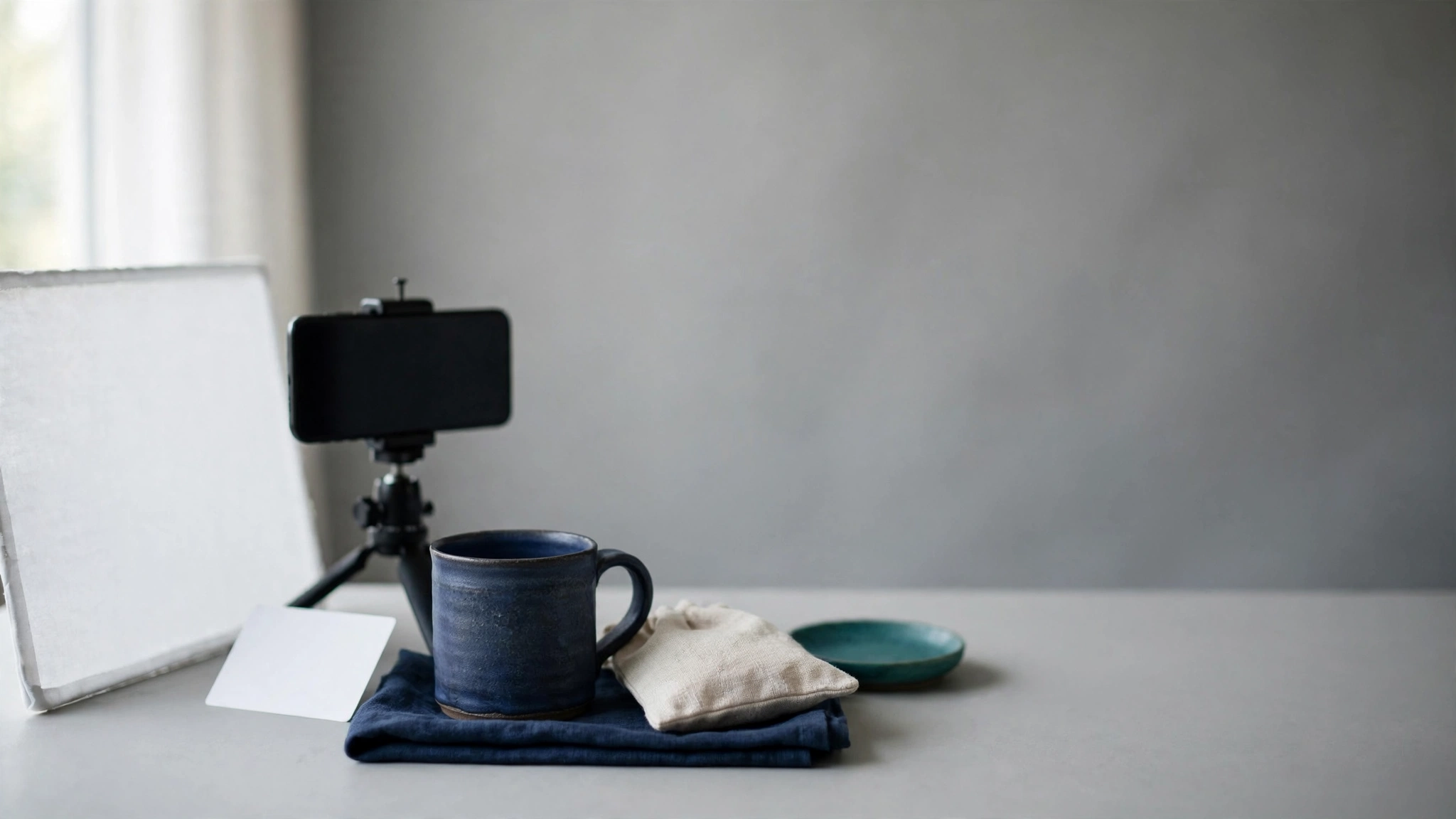
A product video fails for ordinary reasons. The phone drifts a few degrees between takes, the window light changes while you film, the background shows a laundry basket, and the product spends most of the clip out of focus. None of these problems need expensive equipment. Most need a plan and a setup you can rebuild in five minutes.
This guide walks through a phone-first setup for short product videos on Etsy, Shopify, Amazon and similar listings. It covers the shot plan, lighting, framing, background and a one-hour test. Gear comes last, matched to the specific limit you find. If the test shows that a stack of books and a window do the job, you keep your money.
The short answer
- Plan the shots first. Decide what a buyer needs to see in the first few seconds, then film exactly that.
- Fix light and camera position before anything else. A video that looks the same every session saves editing time and keeps your listings consistent.
- Test with what you own. Write down what went wrong, then buy only the item that solves that problem.
- Treat gear as a shop cost. Compare it with what an extra order earns you after fees, using your own numbers.
Start with the job the video has to do
Photos show what a product looks like. Video can show what photos cannot: how big it is in a hand, how fabric moves, how a lid closes, how light plays across a glaze or a stone. If your clip repeats the main photo while the product slowly rotates, it adds little. Pick the one or two questions a buyer is likely to have and answer them on camera.
Think about the questions you receive in messages. "How big is it really?" "Does the clasp feel sturdy?" "What does it look like from the side?" Those become your shots.
Check the platform's rules before you film
Etsy's Help Center (checked October 16, 2026) says a listing can carry up to two videos. Each can run 3 to 15 seconds, the file can be up to 100 MB, and the video plays without audio once uploaded. The minimum resolution is 500px, and Etsy says the ideal is at least 1080px. Etsy also lists aspect-ratio limits, so read the current page before you settle on a vertical or horizontal frame. You can find it in Etsy's guide to adding listing videos.
The no-audio rule shapes the whole plan. A shot that needs narration to make sense will not work on an Etsy listing. Show the point visually: put your hand next to the product for scale, or fold the item flat so size is obvious. Other marketplaces and your own Shopify store have their own video rules and placements, so check each one before you reuse a clip.
A 15-second shot list you can adapt
This is a structure, not a formula. Change the order to suit your product.
- Seconds 0 to 3: The whole product, steady and well lit, so a buyer recognizes it at once.
- Seconds 3 to 6: Scale. A hand holding it, or it sitting beside a familiar object such as a coin or a pen.
- Seconds 6 to 10: The detail that earns the price: stitching, glaze, engraving, the inside of a pouch.
- Seconds 10 to 13: The product in use or being opened.
- Seconds 13 to 15: A clean final frame of the product.
Film each shot as its own short take, then join them. Shooting in pieces is easier than performing fifteen perfect seconds in one go, and a bad take costs you five seconds, not the whole clip.
Lighting you can repeat
Repeatable lighting means that on any day, the light hits the product from the same direction, at the same softness and the same color. That consistency matters more than power. Three choices cover most small sellers.
Window light, used on purpose
A large window is a free soft light. Place the product beside it, not in front of it, so the light comes from one side. Hang a thin white sheet or a sheet of tracing paper over the glass if direct sun reaches the table. Put a white card or foam board on the opposite side to lift the shadows.
The weakness is that daylight changes. Clouds pass, and the sun moves. If you film a batch of products on the same afternoon, the first and last clips will not match. Pick one time of day, close the blinds on other windows, and film all products for a collection in one session.
Do not mix colors of light
A warm indoor bulb next to a window gives you an orange cast on one side of the product and blue on the other. Switch off ceiling lights while you film. If you must use a lamp, use it as the only light and keep it away from the window light.
Continuous lights
A continuous light stays the same all day and in every season. It lets you film after dark and keeps the look identical from one product to the next. The trade-off is space and setup. Glossy products can pick up a bright circular reflection from a ring-shaped light, so check how your product looks before you commit to a kit.
Stable phone framing
A handheld phone moves even when you hold still. Viewers notice drift, and it makes small products look unprofessional. Stability comes from three things.
- A fixed mount. A tripod, a clamp, or a phone propped against a stack of books and held with putty all work. What matters is that it does not move between takes.
- Locked exposure and focus. Most phone camera apps let you press and hold on the product to lock focus and exposure. Do this so the brightness does not pulse when your hand enters the frame.
- A consistent distance and height. If every product in a collection is filmed from the same spot, your listings look related.
Wipe the lens before you start. A fingerprint smear is the most common reason a phone video looks soft.
Choose vertical or horizontal on purpose
Decide where the clip will appear before you film. A clip meant for short-form social feeds and one meant for a listing page may need different framing. If you want both, leave extra room around the product so you can crop later without cutting off an edge.
A background that does not compete
A background has one job: let the product stand out at thumbnail size. Plain, matte and slightly different in tone from the product works best. Patterned fabric, glossy tabletops and visible cables pull the eye away.
- Light products usually read well against a mid-tone or darker backdrop.
- Dark products usually read well against a light, neutral one.
- Matte paper, poster board or a plain cloth avoid distracting reflections.
- Keep the same backdrop for a whole collection so the shop looks consistent.
Step back from your phone screen before you accept a shot. If you cannot tell what the product is from across the room, the background is too busy or too close in color.
Write a setup card so you can rebuild the shot
The point of a repeatable setup is that you do not rediscover it each session. After a good test, write down the details and keep the card where you film.
- Phone height and distance from the product, measured in centimetres or marked on the table with tape
- Where the light sits and how far it is from the product
- Which window blinds are open, and what time of day you film
- Camera settings: resolution, orientation, locked exposure
- Backdrop color and where it clips or leans
- Your shot list, in order
Take a photo of the finished setup from the side. That one image replaces a page of notes.
Match each limit to a fix
After your first test session, you will see specific problems. Match the problem to the least expensive fix, and buy gear only when a free fix has not worked.
- The footage shakes or the framing changes between takes. A stable mount solves this. A tripod or a clamp is the direct fix.
- Brightness or color changes from session to session. You need a light that does not depend on the weather. A continuous light in a fixed position is the direct fix.
- Shadows are harsh or the background is cluttered, and you film small items. A light box or a simple backdrop and diffuser addresses both at once.
- You cannot get the angle you want. Check whether your mount can tilt down or extend before replacing it.
- The problem is the product, not the setup. If the item looks flat on camera, a change of shot or styling may help more than equipment.
As an Amazon Associate I earn from qualifying purchases. Smart Sellers Tool may earn a commission from qualifying purchases at no additional cost to you. The Amazon.ca links below are affiliate links. Our recommendations follow the limits described above, and affiliate status does not change our advice. See the Affiliate Disclosure for details.
Three options worth considering
These are the three items from our approved Amazon.ca lineup that map to the limits above. We list what each one is meant for, not performance claims. Check each listing for current details, dimensions and compatibility with your phone before buying.
A ring light, when light keeps changing
If your problem is inconsistent light, the NEEWER 18-inch Ring Light Kit is built for repeatable desk recording and product photography. You mark where the light sits, and it stays the same each session. Think about your products first. Shiny items such as glazed ceramics, metal or glass can show the ring's reflection, so test with your most reflective product before relying on it.
A phone tripod, when framing drifts
If your problem is a moving frame, the UBeesize 62-inch Phone Tripod is meant for hands-free phone footage of short-form video, tutorials, livestreams and product content. Its name gives the maximum height. For small tabletop products, check the listing to see whether the phone can angle down toward a table, and whether the legs fit the space you have. Those details matter more than height for a desk setup.
A light box, when the items are small
If you film or photograph small items such as jewelry, soaps or accessories, a product photography light box contains the light and the background in one unit. Check the listing for the interior size and the way it lights the product, then compare that with your biggest item. A light box suits small products and is a poor fit for large or tall ones. Our guide to packaging and light boxes for online sellers covers still-photo use in more detail.
You can compare these with the rest of the creator lineup on our Creator Equipment page, and see photo and packing supplies together on the Handmade Seller Equipment page.
Is the gear worth it for your shop?
Treat equipment like any other cost. The question is how many extra orders cover it, and whether your listings can plausibly win them. Better video does not guarantee more sales, so use your own numbers and keep the plan modest.
Here is an illustration with made-up round figures, not product prices. Suppose you set a $60 budget for lighting and a mount, and one order earns you $9 in profit after fees, materials and shipping. Divide $60 by $9 and you get 6.7, so you need seven additional orders to recover the budget. If you expect to sell that many more because of better video, the purchase can make sense. If you doubt it, test with free gear first.
To see your own version, run a profit estimate for your platform, then check the break-even point with the gear cost included.
- Start with the Etsy Profit Calculator, the Shopify Profit Calculator or the Amazon Profit Calculator to find what one order earns after fees.
- Use the Etsy Break Even Calculator to add the gear as a fixed cost. Spread the price across the number of months you expect to use it, then add that monthly amount to your fixed costs.
Run a one-hour test before buying anything
- Choose two products. Pick your easiest and your hardest to film, for example a matte fabric item and a glossy one.
- Build the setup with what you own. Use a window, a sheet, a white card, a plain backdrop and a phone propped on books.
- Film the shot list. Take two takes of each shot.
- Review on your phone at normal size. Watch for shake, flicker, color cast, reflections and clutter.
- Write down the single biggest problem. Only one. The biggest limit decides the first purchase.
- Fix it with the cheapest option. If that does not work, pick the item that addresses that problem and repeat the test.
This sequence keeps you from buying a lighting kit when the real issue is a shaky mount, or a tripod when the real issue is a cluttered background.
Common questions
Do I need a ring light for product videos?
No. A window with a thin curtain can give soft, even light. A ring light is useful when you need the same light at any hour. Test your shiniest product first, because ring-shaped reflections can show on glossy surfaces.
Can I film product videos with a phone I already own?
Yes. The platforms listed above accept ordinary phone footage. Clean the lens, lock exposure and keep the phone still, and most of the visible quality comes from lighting and framing rather than the camera itself.
What should I buy first?
Buy whatever fixes the largest problem from your one-hour test. If footage shakes, start with a stable mount. If brightness changes between sessions, start with a fixed light. If the items are small and the background is messy, consider a light box.
Where to go next
Once your setup is repeatable, the same clip can serve many listings. Keep your setup card, film new products in batches, and review gear again only when you meet a limit you cannot fix for free. For more equipment options, visit the Creator Equipment page. To check whether each purchase earns its place, open the calculator library and run your numbers before you commit.